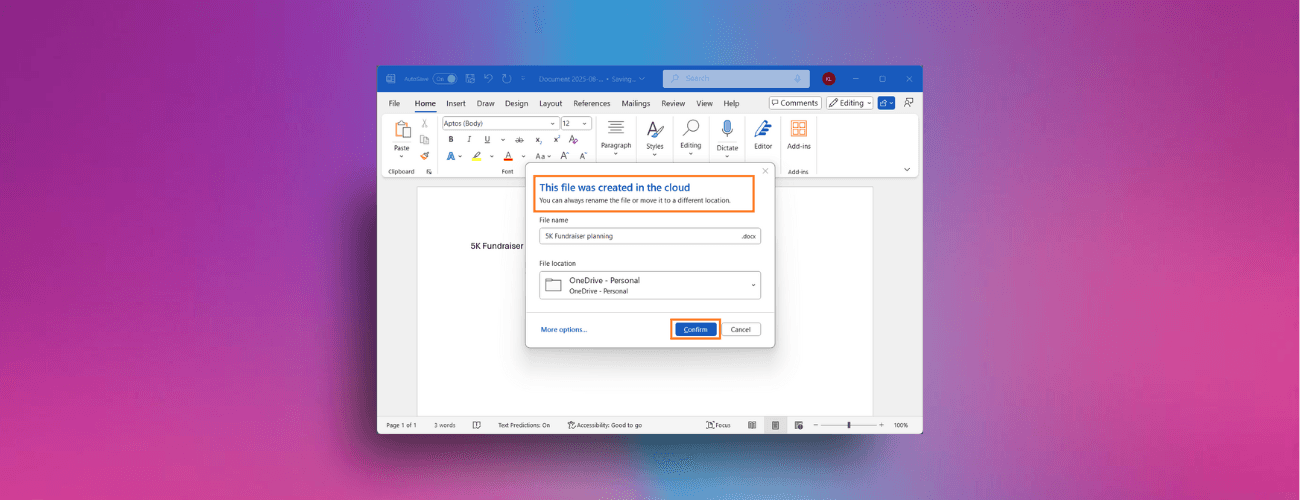
Cloud Save in Microsoft Office
Designed 10+ flows for automatic cloud save in Word, Excel, and PowerPoint for Windows, so that new documents are protected and shareable from the start.
Year
2024-ongoing
Scope
Product Designer
With
Microsoft
Duration
ongoing
Full case study available on request.
See "Save new files automatically to the cloud in Word for Windows" via M365 Insider Blog for all public information.
Designed 10+ flows for automatic cloud save in Word for Windows, so new documents are protected and shareable from the start. Partnered with our Design Director, Product, Engineering, and Research from validating early concepts through Insider release.
Challenge
Saving files in the cloud by default fixes some common problems: lost work, accessing work on-the-go across devices, automatic security labeling. People, however, have been saving the same way for the last 30-40 years via File > Save, or CTRL + S.
How do we keep the process of saving feeling familiar for people with a wide variety of filing habits, while updating and streamlining the process for the cloud era?
Solution
New documents are saved to a chosen cloud location from the start, with AutoSave on. Saving becomes a confirmation step in the “This file was created in the cloud” dialog, where people can rename the file or change its location.
Closing an unsaved document asks whether to keep or discard it, and people can set a default folder or turn the behavior off in the Options dialog.